


DS007663: meg dataset, 27 subjects#
CrossModal Study
Access recordings and metadata through EEGDash.
Citation: Marion Brickwedde, Rupali Limachya, Roksana Markiewicz, Emma Sutton, Christopher Postzich, Kimron Shapiro, Ole Jensen, Ali Mazaheri (20). CrossModal Study. 10.18112/openneuro.ds007663.v1.0.0
Modality: meg Subjects: 27 Recordings: 59 License: CC0 Source: openneuro
Metadata: Complete (90%)
27-participant MEG dataset — CrossModal Study.
Quickstart#
Install
pip install eegdash
Access the data
from eegdash.dataset import DS007663

dataset = DS007663(cache_dir="./data")
# Get the raw object of the first recording
raw = dataset.datasets[0].raw
print(raw.info)
Filter by subject
dataset = DS007663(cache_dir="./data", subject="01")
Advanced query
dataset = DS007663(
    cache_dir="./data",
    query={"subject": {"$in": ["01", "02"]}},
)
Iterate recordings
for rec in dataset:
    print(rec.subject, rec.raw.info['sfreq'])
If you use this dataset in your research, please cite the original authors.
BibTeX
@dataset{ds007663,
  title = {CrossModal Study},
  author = {Marion Brickwedde and Rupali Limachya and Roksana Markiewicz and Emma Sutton and Christopher Postzich and Kimron Shapiro and Ole Jensen and Ali Mazaheri},
  doi = {10.18112/openneuro.ds007663.v1.0.0},
  url = {https://doi.org/10.18112/openneuro.ds007663.v1.0.0},
}
About This Dataset#
marion.brickwedde@charite.de, ORCID: https://orcid.org/0000-0002-3461-038X
“CrossModal Study”
##Task Participants received cues to prepare for the target (auditory or visual).
README
##Contact person
Between cue and target were 3 seconds of task-irrelevant waiting time. For the duration of this interval, the fixation cross was frequency-tagged at 36 Hz and an amplitude modulated 40 Hz tone was played. The target was either a gabor-patch or a short tone.
Participants were asked to differentiate one of 3 targets of each modality and indicate them with the arror buttons on the keyboard (e.g. low pitch tone left arrow button, middle pitch tone, arrow down button,…). In block one, targets were presented without distractors. In block 2, the target was always presented alongside a distractor from the target pool of the other modality (e.g. target visual, distractor auditory) For an illustration of the timing of the task refer to stimuli folder (task.png).
View full README
README
##Contact person
Between cue and target were 3 seconds of task-irrelevant waiting time. For the duration of this interval, the fixation cross was frequency-tagged at 36 Hz and an amplitude modulated 40 Hz tone was played. The target was either a gabor-patch or a short tone.
Participants were asked to differentiate one of 3 targets of each modality and indicate them with the arror buttons on the keyboard (e.g. low pitch tone left arrow button, middle pitch tone, arrow down button,…). In block one, targets were presented without distractors. In block 2, the target was always presented alongside a distractor from the target pool of the other modality (e.g. target visual, distractor auditory) For an illustration of the timing of the task refer to stimuli folder (task.png).
Prior to the start of the recording, the difficulty of the stimuli was calibrated for both the auditory and the visual condition separately. For a detailed description of the task see: (https://doi.org/10.7554/eLife.106050.1). ##Task Instructions Welcome and thank you for taking part in our experiment! ‘From this moment on, the experiment will roughly take 1 hour and 20 minutes.
If anything is wrong, please contact the experimenter any time. We will first calibrate the task difficulty.
We will show you three discs with varying amount of stripes. Your task will be to determine whether the disc you saw was the one with the least, the medium, or the highest amount of stripes.
Press the middle button to continue. (stimuli shown) if you see the disc with the least amount of stripes, please press the left button. if you see the disc with the medium amount of stripes, please press the middle button. if you see the disc with the most amount of stripes, please press the right button. if you feel ready, press the middle button to continue.
Your answer is timed, please try to accurately identify the target, while also reacting as fast as you can. The discs only appear for a very brief moment, so you need to look closely.
If you have any questions, please inform the experimenter. If you understand the task, you can press the middle button to start. (calibration starts - determines the amount of stripes in each target) Great! The first part is done.
We will now calibrate another part of the task involving tones. We will play three tones with different pitches.
Your task will be to determine whether the pitch you heard was the lowest, medium, or the highest. Press the middle button to continue. (tones played) if you hear the tone with the lowest pitch, please press the left button. if you hear the tone with the medium pitch, please press the middle button. if you hear the tone with the highest pitch, please press the right button. if you feel ready, press the middle button to continue.
Your answer is timed, please try to accurately identify the target, while also reacting as fast as you can. If you have any questions, please inform the experimenter.
If you understand the task, you can press the middle button to start. (calibration starst - determines the tone pitch for the target tones) Perfect! Now we can begin with the real experiment.
From this moment on, the experiment will roughly take 1 hour and 10 minutes. If anything is wrong, please contact the experimenter any time.
In MEG-studies, it is important to be as MOTIONLESS as possible (even when moving the eyes or blinking) So please try to refrain from body movements and reduce blinking to a minimal level you can still feel comfortable with.
You will have time to move and close your eyes in the breaks, so please use this time. Please press the middle button to continue.
Please fixate the cross in the center of the screen. After a short while, one of the following two symbols will appear: (cues shown) They will tell you the whether your target will be a disc or a tone.
Subsequently, you will see a flickering cross and hear a noisy sound for about 3 seconds. They are not important for you. During this time, continue to focus the cross at the center of the screen. AFTER THIS, the target will appear.
Press the middle button to see and hear the targets we calbrated for you again. (targets shown and played) Use the button box in your right hand to identify the target that was presented to you.
If you saw the visual symbol, your target will always be a disc. If you saw the auditory symbol, your target will always be a tone. Visual: least amount of stripes (LEFT BUTTON), medium amount of strips (MIDDLE BUTTON) and highest number of stripes (RIGHT BUTTON) Auditory: low tone (LEFT BUTTON), middle tone (MIDDLE BUTTON) and high tone (RIGHT BUTTON).
Your answer is timed, please try to accurately identify the target, while also reacting as fast as you can. There will be 16 blocks until the experiment is finished.
If you have any questions, please inform the experimenter. If you understand the task, you can press the middle button to start the experiment.
Methods
Subjects
All participants were healthy controls. inclusion criteria: normal or corrected-to-normal vision, no history of psychiatric or neurological illness (self-report)
Task organization
2 blocks with 2 conditions Block 1 1. auditory cue –> auditory target 2. visual cue –> visual target
Block 2 1. auditory cue –> auditory target, visual distractor 2. visual cue –> visual target, auditory distractor
trials inside a block were randomly sequenced and balanced out.
Additional data acquired
eye-link data to monitor eye-movement
Experimental location
Birmingham University, United Kingdom
Missing data
sub-07 aborted the experiment after the 10th block because of feeling unwell and only had 42% of the trials correct.
The participants was exlucded from the experiment. Acquisition dates were anonymised (01.01.2023, the year in which the study was recorded).
Acquisition time of day is correct.
Cohort#
Dataset Statistics#
Age distribution by gender (n=27, range 18–31 yr, mean 23.3 yr)
Sex composition
Channel counts: 334 ch (n=59 recordings)
Signal · Electrodes & live trace#
Live trace viewer — sub-021 · task-crossmodal
Showing one representative recording out of
27 subjects and 59 recordings in this dataset.
Browse the full set on OpenNeuro;
drop any other _meg.{set,edf,bdf,vhdr} file onto the
viewer (or pass ?meg=<url>) to inspect it.
Electrode layout — MEG · 306 sensors — 306 channels
NEMAR Processing Statistics#
The plots below are generated by NEMAR’s automated EEG pipeline. The histogram shows pipeline success for data cleaning and ICA decomposition, the percentage of data frames and EEG channels retained after artefact removal, line noise per channel (RMS, dB), and the age/gender distribution of participants.

HED event descriptors word cloud

Manifest#
File Explorer#
Browse the BIDS file structure of this dataset. Records are fetched on demand from the EEGDash catalog the first time you open the explorer.
Full dataset metadata table
Dataset ID |
|
Title |
CrossModal Study |
Author (year) |
— |
Canonical |
— |
Importable as |
|
Year |
20 |
Authors |
Marion Brickwedde, Rupali Limachya, Roksana Markiewicz, Emma Sutton, Christopher Postzich, Kimron Shapiro, Ole Jensen, Ali Mazaheri |
License |
CC0 |
Citation / DOI |
|
Source links |
Copy-paste BibTeX
@dataset{ds007663,
  title = {CrossModal Study},
  author = {Marion Brickwedde and Rupali Limachya and Roksana Markiewicz and Emma Sutton and Christopher Postzich and Kimron Shapiro and Ole Jensen and Ali Mazaheri},
  doi = {10.18112/openneuro.ds007663.v1.0.0},
  url = {https://doi.org/10.18112/openneuro.ds007663.v1.0.0},
}
API Reference#
eegdash.datasetEEGDashDataset- class eegdash.dataset.DS007663(cache_dir: str, query: dict | None = None, s3_bucket: str | None = None, **kwargs)[source]#
CrossModal Study
- Study:
ds007663(OpenNeuro)- Author (year):
—
- Canonical:
—
Also importable as:
DS007663.Modality:
meg; Experiment type:Perception; Subject type:Healthy. Subjects: 27; recordings: 59; tasks: 1.- Parameters:
cache_dir (str | Path) – Directory where data are cached locally.
query (dict | None) – Additional MongoDB-style filters to AND with the dataset selection. Must not contain the key
dataset.s3_bucket (str | None) – Base S3 bucket used to locate the data.
**kwargs (dict) – Additional keyword arguments forwarded to
EEGDashDataset.
- data_dir#
Local dataset cache directory (
cache_dir / dataset_id).- Type:
Path
Notes
Each item is a recording; recording-level metadata are available via
dataset.description.querysupports MongoDB-style filters on fields inALLOWED_QUERY_FIELDSand is combined with the dataset filter. Dataset-specific caveats are not provided in the summary metadata.References
OpenNeuro dataset: https://openneuro.org/datasets/ds007663 NeMAR dataset: https://nemar.org/dataexplorer/detail?dataset_id=ds007663 DOI: https://doi.org/10.18112/openneuro.ds007663.v1.0.0
Examples
>>> from eegdash.dataset import DS007663
>>> dataset = DS007663(cache_dir="./data")
>>> recording = dataset[0]
>>> raw = recording.load()
- __init__(cache_dir: str, query: dict | None = None, s3_bucket: str | None = None, **kwargs)[source]#
- save(path: str, overwrite: bool = False, offset: int = 0)[source]#
Save datasets to files by creating one subdirectory for each dataset:
path/
    0/
        0-raw.fif | 0-epo.fif
        description.json
        raw_preproc_kwargs.json (if raws were preprocessed)
        window_kwargs.json (if this is a windowed dataset)
        window_preproc_kwargs.json  (if windows were preprocessed)
        target_name.json (if target_name is not None and dataset is raw)
    1/
        1-raw.fif | 1-epo.fif
        description.json
        raw_preproc_kwargs.json (if raws were preprocessed)
        window_kwargs.json (if this is a windowed dataset)
        window_preproc_kwargs.json  (if windows were preprocessed)
        target_name.json (if target_name is not None and dataset is raw)
- Parameters:
path (str) –
- Directory in which subdirectories are created to store
-raw.fif | -epo.fif and .json files to.
overwrite (bool) – Whether to delete old subdirectories that will be saved to in this call.
offset (int) – If provided, the integer is added to the id of the dataset in the concat. This is useful in the setting of very large datasets, where one dataset has to be processed and saved at a time to account for its original position.
BaseDataset from braindecode — windowed via create_windows_from_events.braindecodeDataLoader; supports parallel workers and on-the-fly augmentations.pytorch Find datasets with the EEGDash APIQuery the catalogue, filter by task or modality, list candidates.
 Load one EEG recordingResolve a single record to an MNE Raw with channels and events.
 EEG recording to PyTorch DataLoaderWrap braindecode windows in a DataLoader for model training.
 Preprocess EEG and create windowsFilter, resample, epoch — and persist the windowed dataset.
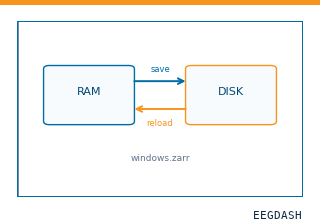 Save and reload prepared dataCache a windowed dataset to disk and reattach it without recompute.
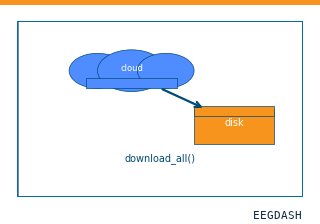 Download a dataset locallyPrefetch BIDS files to a local cache and validate the layout.
Swap any load_dataset(...) call for ds007663 to reproduce the tutorial on this dataset.
Citation
Marion Brickwedde, Rupali Limachya, Roksana Markiewicz, Emma Sutton, Christopher Postzich, … (20). CrossModal Study. 10.18112/openneuro.ds007663.v1.0.0
Provenance
¹Contributed to openneuro in BIDS format.
²Curated & ingested by the EEGDash catalog; see CITATION.cff for canonical reference.
³Persistent identifier: 10.18112/openneuro.ds007663.v1.0.0.
See Also#
eegdash.dataset.EEGDashDataseteegdash.dataset