


Quick Start Guide#
EEGDash is two things at once: a metadata index over 700+ BIDS-curated
EEG/MEG datasets that you can query without ever downloading a byte, and a
dataset loader that materialises matching recordings into a
PyTorch-compatible EEGDashDataset. The same library
takes you from a one-line find() against the public REST API to a
leakage-safe torch.utils.data.DataLoader.
This page is the on-ramp. It points you at the curated learning path (three Start-Here tutorials), gives you four copy-paste recipes for the questions a hurried reader actually asks first – how do I open a client, find records, filter by task, filter by subject? – documents the environment variables that govern API access, and then hands off to the rest of the documentation: the full gallery, the Concepts chapter that explains why each design decision matters, and the dataset catalogue.
The curated learning path#
The Start-Here trio is the difficulty-1 on-ramp described in the tutorial restructure plan, Category A. Each lesson runs CPU-only in a few minutes and pairs with a YAML spec, an audit dossier, and the “Behind this lesson” footer that traces every claim back to a citation. Read them in order before branching into the rest of the gallery.
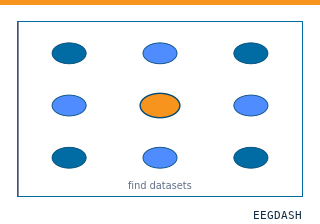
Open a metadata-only EEGDash client and
surface BIDS entity fields for ds002718 – subjects, sampling
rates, total hours – without downloading any signal.
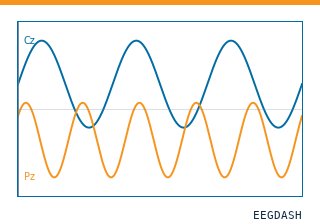
Materialise a single EEGDashDataset entry, read sampling rate,
channel count, duration and annotations, and plot the first five
seconds with mne.io.Raw.plot().
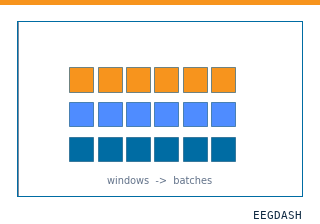
Chain two safe Braindecode preprocessors, cut fixed-length
windows, and wrap the result in a
torch.utils.data.DataLoader – one batch shape, no
training.
Common recipes#
The four blocks below cover the questions a new user asks in the first five minutes: how do I open a client, find a record, filter by task, filter by subject? Each recipe is self-contained and ends with a link to the deeper Start-Here tutorial that walks through the same code in narrative form.
Initializing EEGDash#
Create a metadata-only client that connects to the public database at
https://data.eegdash.org:
from eegdash import EEGDash

# Connect to the public database
eegdash = EEGDash()
For a fully worked example with cohort statistics and BIDS entity fields, see Find a small cohort with the EEGDash API.
Finding records#
Use find() to query the database. Pass keyword
arguments for simple filters, or a MongoDB-style dictionary for advanced
queries with operators like $in:
# Simple keyword filter
records = eegdash.find(dataset="ds002718", subject="012")
print(f"Found {len(records)} records.")

# MongoDB-style query
query = {"dataset": "ds002718", "subject": {"$in": ["012", "013"]}}
records_advanced = eegdash.find(query)
print(f"Found {len(records_advanced)} records with advanced query.")
The same query mechanism feeds the on-ramp tutorial Find a small cohort with the EEGDash API, which walks through interpreting the BIDS fields you get back.
Filtering by task#
EEGDashDataset accepts the same filters as
find() and materialises the matching recordings as a
PyTorch-compatible dataset. Filter by task to focus on, say,
resting-state recordings:
from eegdash import EEGDashDataset

resting_state_dataset = EEGDashDataset(
    cache_dir="./eeg_data",
    dataset="ds002718",
    task="RestingState",
)

print(f"Found {len(resting_state_dataset)} resting-state recordings.")
For the end-to-end version that loads one recording and inspects its annotations, see Inspect your first EEG recording.
Filtering by subject#
Filter by a single subject or by a list of subject IDs. Filters compose,
so you can combine subject, task, session and run for
narrower queries:
# One subject
subject_dataset = EEGDashDataset(
    cache_dir="./eeg_data",
    dataset="ds002718",
    subject="012",
)
print(f"Found {len(subject_dataset)} recordings for subject 012.")

# A list of subjects, narrowed to a task
multi_subject_dataset = EEGDashDataset(
    cache_dir="./eeg_data",
    dataset="ds002718",
    subject=["012", "013", "014"],
    task="RestingState",
)
print(f"Found {len(multi_subject_dataset)} recordings for subjects 012-014.")
To take a single-subject EEGDashDataset all the way to a PyTorch
DataLoader – preprocessing, windowing, batch shape – see
From EEGDash to a PyTorch DataLoader.
API configuration#
By default, eegdash connects to the public REST API at
https://data.eegdash.org. Override it through environment variables:
# Override the default API URL (e.g., for testing)
export EEGDASH_API_URL="https://data.eegdash.org"

# Admin write operations (required for dataset ingestion)
export EEGDASH_API_TOKEN="your-admin-token"
Public endpoints are rate-limited to 100 requests per minute per IP.
Service status is available at /health, and every response carries
an X-Request-ID header you can use for debugging.
For more on the API architecture, see API Core.
Where to go next#
Four hand-offs that cover the rest of the documentation: the full gallery, the explanation pages, the dataset catalogue, and the audit trail.
The full curated learning path: seven tutorial categories from Start-Here to transfer learning, plus how-to recipes, applied projects, EEG2025 Foundation Challenge pipelines, and HPC templates.
Diataxis explanation pages: the EEGDashDataset object model,
BIDS metadata, leakage and evaluation, preprocessing decisions,
features versus deep learning. Read these to understand why.
Search the 700+ BIDS-first datasets across EEG, MEG, fNIRS, EMG and iEEG modalities, with per-dataset cohort statistics, sampling rates, and ready-to-use class IDs.
See also
Developer Notes captures contributor workflows for the core package.